For a while now I’ve been writing on the topic of independent film production over at a blog I had set up on my Incorrigible Productions website. IMHO there is some pretty good content on that blog, but it seems that nobody knows about it because it is pretty well buried on the site - well, no more!
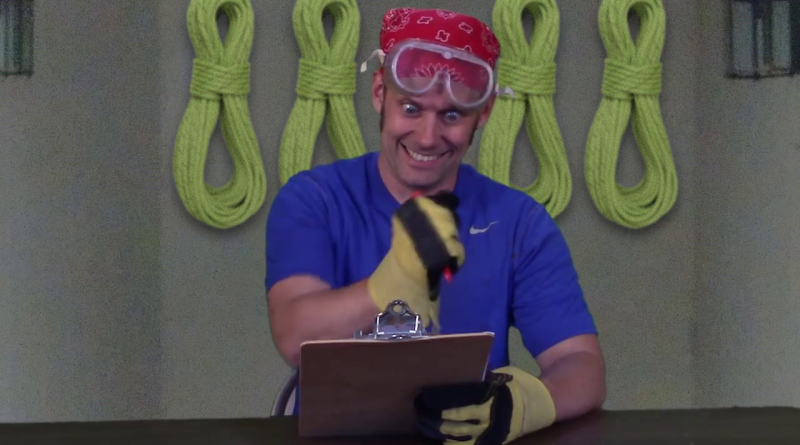
Last week director Dave Campfield (we worked together on the award winning feature film “Under Surveillance“) called me and asked if I would help him shoot a short spoof video for a project he is working on. Here is the result:
Read more articles about lighting and video/film production at my Indie Film Blog.
This is not the right way to shoot a green screen, but I needed to work in a hurry.
I found an opportunity to convince some business folks on the benefits of an in-house studio space with a built-in pre-lit green screen. I wanted to make sure the execs knew that we already had the technical capacity to shoot and composite green screen work and that we only needed dedicated space to make an efficient system.
The first photo shows my basic screen setup inside the office used for my editing/equipment storage room. The main screen is a Photoflex Flexdrop collapsible blue/green screen. Since I needed to grab a full body shot, I clipped on the vinyl green screen that shipped with my copy of Serious Magic Visual Communicator Studio.
The first big problem with this whole setup is that there is not enough room to evenly light the screen and talent. All of the lights would have to be placed too close.
The second problem (which you can’t see) is that I had to place the camera in the hallway to properly frame the wide shots. While I set everything up, people kept asking permission to pass (and later wandered in front of the camera whenever I tried to shoot. )
The set-up was not ideal, but it was my best solution for this quick test shoot. I planned to use Serious Magic Ultra 2 to do the compositing, so I figured this would test the software’s capacity for pulling keys from sub-par setups.
The second image shows the lighting setup. I used a Lowel Rifa Light for my foreground key light and a silver reflector to bounce fill light from the opposite side.
The screen is lit by a Lowel Tota light shining through some tough spun diffusion material. Spill from this light was controlled by clipping some blackwrap to the light to flag it off from the rest of the room.
Hidden from view is a Litepanel LED light that I hung overhead to create a backlight. This is a great little light that you can stick just about anywhere. It dims without color shift and works on battery. I hang it from a boom arm when I want to drop a little light in without having to run cables. As a bonus, it also runs cool.
I recorded the footage with a Sony Z1U HDV camcorder in 1080i mode. The footage was transferred to my Adobe Premiere Pro 2.0 edit suite and saved to disk. The HDV footage was loaded into Ultra 2 for compositing.
Ultra 2 is a pretty cool little software package. It comes with virtual sets and background stills that you can drop behind your subjects.
Ultra 2 uses technology called vector keying to extract the subject from the background. You shoot a bit of footage of the screen without the talent, and then use that to let the program define the key. The program is looking for differences between the background and the image with the subject. It is sort of like screen correction in the Ultimatte process. This is supposed to compensate for unevenly lit screens and allow the software to still create a great key. The big limitation is you cannot move the camera. Ultra compensates for this by creating virtual camera movements to liven things up.
I found the key definition process in Ultra to be counter intuitive. I have some experience pulling keys in After Effects and missed the ability to view the matte and fine tune my settings. One of my full body shots just wasn’t working in Ultra. I used the Keylight plugin in After Effects to quickly create a key and then comped it over a pure green background. I output the results as an uncompressed file and reloaded it into Ultra to insert in a virtual set.
I was surprised that this clip, with the smoothest and most even green background, was hardest to key in Ultra. I don’t know why it was so much trouble. I had to use a lot of matte choking to get it to work. Ultra shrunk the clip down to fit in the virtual set, so you do not notice much.
For head and shoulder shots, this type of setup works fine. For full body you really need more room to seperate the talent from the screen and to get the lights further away too. You can see my results below. It is not bad - not perfect either.
Ultra isn’t quite the instant virtual set dream I had hoped for. It does a fine job, but I think I’ll be more happy pulling most of my comps together in After Effects. The virtual sets look very computer generated. There is also no way to bring in your own 3D scenes.
Do you have questions about green screens and virtual sets that I didn’t answer? Drop me a note with your question and I’ll get you an answer.
I can rack up another award on my resume. Under Surveillance, the independant feature film I shot and co-produced with writer/director/actor/producer Dave Campfield, won the Best Long Island Film and Best Score (I can’t take any credit for that one) awards at the 2006 Long Island International Film Expo.
Dave and I worked hard to get this project done, and I really enjoyed watching it on the big screen at the festival. It is very satisfying to have the hard work recognized!
Congratulations, Dave. You earned it! (Now let’s get going with that new script!!!)
Video Code Maker
Put your videos online. Generate the code you need with our software. Free trial version.
I know a guy who needs to stream video from his blog for users. I searched your blog and did not find anything.It’s a 12 second video in MPEG format. What’s the best way to stream video? Should it be in a particular format?
This question came to me recently from a reader. As an online information consultant, my initial answer to the question is, “it depends.”
There is more than one way to put video on a blog. The blogging software or service you are using will determine what type of code you can place on your pages and whether there are special tools available to facilitate the process. (If you want a quick step-by-step without the details, scroll to the bottom of the page.)
I use Wordpress for this blog and have a plugin installed called vPIP. It assists me in generating the code required to embed a file on a web page and works with Quicktime, Windows Media, and Flash video. I enter the address of the video file and a placeholder graphic, select a few options, and click on the ‘Generate Code’ button. I copy the code, paste it into my web page, and I’m done - but the video is not streaming! What???
There are two types of video delivery available on the web: Progressive Download and Streaming. Behind the scenes there is a big difference how they work to get a video delivered. But to the user, the results are nearly identical.
Streaming Video requires a special streaming server to handle the delivery of the video files (it costs significant money.) Streaming means that the video is displayed as it is delivered. Other than a small amount of buffering, the video is not stored on your local computer. If you want to rewind the playback, the server resends the video. The Streaming Server also monitors the connection speed and can adjust the playback quality and frame rate up and down to maintain the playback rate (if you have ever watched a video that suddenly freezes on a frame, but the audio keeps going, you’ve seen the effect of this.)
A key benefit of streaming is copy protection. The complete video file is not stored on the users computer so it can not be copied and redistributed.
Progressive Downloads don’t require a special server. When a user watches a Progressive Download, the media player begins downloading the video file and storing it on the local hard drive. The player gets a headstart on the download and starts playing the video before the download is complete. If the connection speed remains good and the playback doesn’t catch up with the download, the video will play uninterrupted to the end. Since it is stored on the local hard drive, the video can be replayed without having to resend data from the server.
The key benefits of Progressive Downloads are that it is cheap and the playback quality is consistent once the video is downloaded.
Most likely you will find yourself using Progressive Downloads. The sample video below is a Progressive Download Windows Media Format file embedded in the page via the vPIP plugin for Wordpress. Just click the picture to start the video.
If you don’t have Wordpress with the vPIP plugin, here is a good old fashioned way to code the video into your site using the Object and Embed HTML tags:
Step 1: Convert Your Video to either Quicktime, Windows Media, or Flash format using your video editing software or a program like Cleaner.
Step 2: Upload the video to your web server via FTP (if you are using a hosted blog and don’t have FTP access to your website, you may need to find a seperate server space to store yuor video files. You can also use a service like YouTube.com to host your video.)
Step 3: Modify the sample code below with the web address and dimensions of your video file
Step 4: Copy the code and paste it into your webpage
Sample code for Embedding a Windows Media File:
If you have problems placing code into your blog pages, first check to see whether your content entry tool is modifying the code when saving. Most blog tools strip out tags and may require you to wrap the HTML in a special set of tags to prevent filtering.
Notes: When setting the dimensions for your file, remember to account for the size of the playback controls. If you don’t, they will overlap your video and cover a portion of it (some of the Flash control styles are designed this way and are semi-transparent.)
Also, there are two entries for the filename and dimensions in the code. One in the tag and the other in the
tag. If you miss one, your results will be off. I have included basic playback parameter settings in the example. I suggest you explore all of the parameters that are available for each player. You might find some functionality that will be useful.There is a lot more to know about using video on the web. It is now easy to use services like Google Video and YouTube to host your video, and then embed the video playback (with their branding added - of course) in your webpage. Visit their sites for more information.
I recommend you visit the websites of the major media players for more details about how their technology works and the playback options available.
If you have a more specific question regarding embedding video, email me with more details about your specific question and I’ll help you to get your video online.
A few years back I worked as co-producer and director of photography on an indie film called Under Surveillance, directed by Dave Campfield. He just let me know that it will be an opening night feature presentation at the Long Island Internationl Film Expo. Show time is 7pm on July 11, 2006.
There will be a short panel discussion after the movie and Dave and I will be speaking.
Come out and support the cause if you are in the area.
Recently I was digging through some old papers and found this funny little joke that a friend emailed me back in early 2001. I meant to put it up on one of my production websites, but it got lost in the shuffle. Now it has a home.
You’re a Producer, Aren’t You?
A man in a hot air balloon realized that he was lost. He reduced altitude and spotted a woman below. He descended a bit more and shouted to her, “Excuse me, can you help me? I promised a friend I would meet him an hour ago, but I don’t know where I am.”
The woman below replied:
“You are in a hot air balloon hovering approximately 30 feet above the ground. You are between 40 and 41 degrees north latitude and between 59 and 60 degrees west longitude.”
“You must be a Production Manager,” said the balloonist.
“I am,” replied the woman, “How did you know?”
“Well,” answered the balloonist, “everything you told me is technically correct, but I have no idea what to make of your information, and the fact is I am still lost! Frankly you haven’t been any help at all.”
The woman below shouted back, “You must be a Producer!”
“I am,” replied the balloonist, “how did you know?”
“Well,” said the woman, “you don’t know where you are or where you are going. You have risen to your lofty position due to a large volume of hot air. You’ve made a promise which you have no idea how to keep, and you show up expecting me to solve your problem. The fact is, you are in exactly the same position as before we met, but somehow, now, this is all my fault!”
This was one of those anonymous email forwards, so I don’t know the author. But I get a kick out of it everytime I read it!
I recently spotted this message on the Videomaker Magazine blog. They are co-sponsoring a contest where the prize is a new Sony HDR FX1 HDV Camcorder. The contest runs through April 15, 2006.
Current TV is the cable/satellite station that is the partner on this contest. They are looking for short form documentaries they call “Pods” to air on their channel. Contest details are available at the Current TV website.
If you’re handy with a video camera, here’s a chance to get a better one. Go to it!