Archive for the ‘Film & Video’ Category

AG-HVX200 or the HVR-Z1U: A Painful Choice

Monday, March 27th, 2006

SONY HVR-Z1U 3 CCD Professional HDV CamcorderI had to make a very difficult choice recently. Unexpectedly, I received approvals to purchase a new High Definition video camera and had to hastily put together a purchase order for a new camera package. We’re talking about a budget in the low 5 figures, so I had the money to buy whatever I wanted and I was the person deciding what was needed. But, the choice was hard to make.

My HD Camera Dilemma

For the past year I’ve been doing a lot of research about the emerging HDV and low end HD video camera market. I’ve read and re-read all of the whitepapers and sales copy. I’ve attended the DV Expo, the post NAB gathering at Able Cinetech, and various seminars by Sony and Adobe to get more info and put my hands on the technology. I’ve asked questions, read magazines, studied workflows and more to prepare myself to advocate for upgrades at my corporate job. And I fell in lust with the Panasonic AG-HVX200.

When I saw my first demo of the AG-HVX200 (read DigitalContentProducer.com’s review) at DV Expo East this year, I fell in love with the idea of recording directly to digital files on the P2 cards (no more digitizing), having no moving parts on the camera, and being able to record full DVCPro HD footage, at multiple frame rates, on a sub-$10,000 camera. The achilles heel of this camera is that it only records HD to the P2 card and, at full resolution DVCPro HD, it only records about 10 minutes of video on the currently available P2 cards before you have to dump to a hard drive and clear the card (bigger cards will be available in the future.) There is a MiniDV tape mechanism in the camera, but it only records SD video - there is no HDV-to-tape option.

My production training was done with film cameras, so I’m used to the idea of breaking up the work into 10 minute chunks - that’s a pretty typical record time for a reel of film. I was fully prepared to adjust my working style to accomodate this limitation. I was expecting to wear a portable hard drive on a belt and dump the footage to disc as I went. But, when I did the math, I realized I wasn’t going to be able to store enough footage on the available portable drives to manage a typical project.

I often spend 2 or 3 days in the field recording interviews and generating anywhere from 6 to 10 hours of footage. Usually I’m working out of the back of a rented mini-van with limited assistance. I would need to have portable back-up drives, a laptop, and power supplies in tow to keep up with the data, plus a robust back-up solution back at the office for archiving. It was just a bad fit.

My HDV Camcorder Solution

The Sony HVR-Z1U turned out to be the best solution for my needs (read DigitalContentProducer.com’s Review.) Since most of my work is interviews, the limitations of HDV compression should not be a problem. The tape stock is cheap, easy to find, and a built-in archiving solution. When they become available, I’ll get a Focus Enhancements Firestore FS-4 HD Pro hard disk recorder for direct to disk recording. I’ll just have to get used to using a tripod for everything and stay away from handheld work - the quick set-up capabilities of the Sachtler tripod I ordered should make this transition less disruptive to my typical run-and-gun shooting style.

I ordered the camera with a full accessory kit (mattebox w/rails, filter set, tripod, HDV VTR, tripod, field monitor, shotgun mike, LCD camera light, travel case, and lots of extra batteries.) Look for an article soon about my experiences setting-up this new kit and shooting test footage. I took lots of photos.

The Bottom Line

There is a ton of cool gear out there. You can spend all day staring at the features of the various solutions. But, ultimately, it is the needs of your productions that must drive your decisions. I’m sure I’ll use the AG-HVX200 at some point, but it was the wrong solution for this need.

Does anyone out there need a DP for a project that will be on the AG-HVX200? Call me! I’m ready to go.
The Go-To Guy!

Did you enjoy reading this post? Buy me a nice cup of coffee to fuel my late night writing sessions and keep the content flowing!

My DVD Burning Robot!

Friday, February 17th, 2006

This week’s big project was creating a DVD of promotional highlight videos to be distributed to the members of a corporate board of directors. The videos were all previously edited projects, so I just had to create a menu and get all of the clips linked up. I used Adobe Encore DVD for authoring the DVD and Adobe Photoshop CS2 to create the DVD menu and the label for the disc. The real fun started when I had to run 50 copies of the finished product!

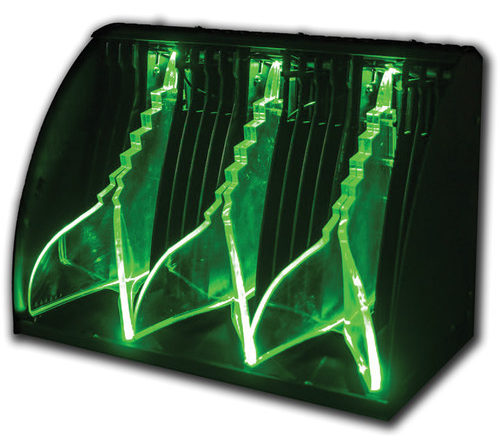
Primera Technology 63703 Bravo Pro CD/DVD Publisher Burn & Print CD-r/DVD-rs 16X/32X USB Check out this awesome little gadget! It’s the Primera Bravo Pro CD/DVD duplicator. The IT department at the company I’m working for bought this a few months ago to handle the media duplication requests that they are always getting dumped with. I have a good relationship with the IT folks, so they let me use the equipment when I need to. My project required 50 DVDs with nicely printed labels - perfect for my first use of the duplicator.

I’d never touched the machine before I showed up with my master disc and JPEG of the label, so I expected to have a few problems getting everything to work. That wasn’t the case. The Primera software was very simple to figure out and I had my job set up and ready to go within 10 minutes. I used the included label software to create a label template from the JPEG and then linked to that template in the duplicating software. With the source DVD in the computer’s disc drive and the quantity set to 50, I hit the burn button.

If you’ve got a geek-streak in you (and I do!) there are few things cooler than robots. This machine is supposed to free me up from swapping discs when making copies, but instead of running off to other tasks, I stood there watching as the robotic picker grabbed fresh discs and popped them into the burners and then printed labels on the copies before dumping them into the catch bin and popping in another batch of fresh discs. When the novelty wore off I finally went back to work, but I love watching this thing go.

I only had 2 problems during the process. The first disc’s label had a small section at the beginning of the print area where the ink wasn’t coming out properly. In my experience, this happens with almost any inkjet printer that doesn’t see everyday use. Running a quick head cleaning diagnostic would have taken care of that (or just plan for one or two discs at the beginning that are for testing.) The second problem was my own fault, I left one of the clear protective discs that come on the spindle with the blank discs in the stack. The robotic arm couldn’t grab it, so the job paused until I cleared this out and restarted the process. The Bravo Pro picked up where it left off.

My finished product impressed everyone. I love my DVD Buring Robot!

The Go-To Guy!

Did you enjoy reading this post? Buy me a nice cup of coffee to fuel my late night writing sessions and keep the content flowing!

How-To: Build a Video Projector

Wednesday, February 1st, 2006

Mix big screen home theater dreams with a skimpy budget and you have the makings of a fantastic do-it-yourself project. Just think of how impressed all your friends will be watching blockbuster movies on a video projector you made with your own 2 hands.

It was just these motivations that landed me in front of my web browser digging for information for this project. There are a lot of cheesy websites that promise the moon and sell you a plastic magnifying lense and the instructions to stick a television into a box and put this lens on the front. You will get an image, but it will look like you made it yourself. - dark, and blurry.

Is there any way to make this work? The short answer is yes. A video projector is essentially a high resolution LCD video screen with a really bright light shining through it and a projector lense enlarging onto the screen. New portable models use very tiny, and expensive, LCDs along with sophisticated light sources and high quality lenses. If you are willing to end up with a projector that isn’t quite so tiny, you can scavenge the parts you need from an LCD computer monitor and add some electronic components and relatively inexpensive lenses. For $200-$500 you should be able to create a high resolution bright projector that will really impress your friends.

The parts you need are:

  • High resolution LCD computer monitor
  • Projector lens (and possibly 2 fresnel lenses depending on the plans you use)
  • Cooling fan(s) - bright lights get hot when you shove them in a box
  • Bright lightsource (one approach to the project is to use an old overhead projector)
  • Electrical power supply

There are dozens of websites with step-by-step plans for free or for sale. Some sell parts that you’ll need. Two that I’ve found to be excellent are LumenLab and the DIY Projector Company. They both sell parts and parts kits. LumenLab sells a very nicely produced PDF instruction guide with detailed plans. DIY offers plans free, but expects that you’ll buy one of their kits to actually make the projector. They both use the LCD in a box with a lamp approach.

InventGeek has a great article explaining the whole process in depth including the theory behind projectors. I recommend you check it out. The DenGuru website shows another approach to the project. They use an old overhead projector for both the lightsource and lens. You strip the LCD panel out of its frame and lay it on the projector like a transparency. Ugly, but it works! Check out their tutorial.

Break out your toolkit and get busy - and let’s be safe out there people!

Did you enjoy reading this post? Buy me a nice cup of coffee to fuel my late night writing sessions and keep the content flowing!

Report: DV Expo East 2005

Friday, July 22nd, 2005

I had a chance to spend a couple afternoons this week at the DV Expo East. It was like spending an afternoon at the candy shop.

I’m still looking for HD solutions for shooting and editing and got to put my hands on the new Sony HDV cameras and the new JVC HDV camera. The JVC booth was pretty crowded, so I didn’t spend as much time with that camera, but I got a chance to play around with the new Sony Z1U. It’s nicely laid out and comfortable to control. The images looked great (at least the direct feed to the monitors did) and I liked the overall feel of the camera.

I spent a little time at the 16×9, Inc booth playing with the Z1U they had tricked out with rails, mattebox and follow-focus. It doubles the cost of the camera, but what a difference having solid controls at your fingertips. The rep there told me you need to use larger than 4 inch wide filters (4.6 I think she said) when shooting HDV to cover the full field of view on the lens. Something that’s pretty annoying is that none of the matteboxes are interchangeable with other cameras. The new design of all these cameras places different pieces (like the Z1U’s on camera mike) right over the lens so the box has to be re-designed to fit the nuances of each camera body. That wouldn’t be such a big deal if the accessories didn’t cost so much. Fortunately the follow-focus units only need to have the lens gears swapped out to adapt to new cameras.

The Panasonic P2 HD presentation may have me dropping all thoughts of HDV. Their new P2 camera (due out in November) boasts support for DVCPro 25, DVCPro50, and DVCPro HD. This means HD with no MPEG compression artifacts. The P2 storage system means a silent operating camera with no moving parts (bye, bye head clogs) and no more tapes.

The P2 card will pop into any PC’s PCMCIA slot and show up as a hard drive. Dump the footage to a big, cheap external drive and wipe the card clean for another round. The on-set workflow will be similar to a film camera - an assistant dumps the footage and clears off the card after it fills (although you can keep shooting on the second card while the first is being transfered.) This roughly parallels a loader swapping out film mags - minus having to check the gate and thread the film. Current 8Gig cards hold about 8 minutes of 1020i HD footage, but the P2 cards memory is made up of 4 SD cards, the same standard type as are used in still cameras and Palm Pilots, so as the capacity for SD cards increases so will the capacity of the P2 cards. I think the prices for P2 cards will come down pretty quickly once the camera gets out there. Plus, there will likely be a direct to hard drive solution available very soon after the camera is released for folks who need longer record times.

I’m planning on spending some time with this new camera when the start shipping. I’m going to schedule some time over at Abel Cine to play with it.

That big frustration now is, if I use the Panasonic solution for HD, how do I edit the footage in Premiere Pro??? It doesn’t have DVCPro HD codecs.

There’s more cool stuff that I saw at the Expo, but I’ll have to wait to write about it.

Did you enjoy reading this post? Buy me a nice cup of coffee to fuel my late night writing sessions and keep the content flowing!

Audacity Saves The Day

Friday, June 24th, 2005

I’m putting the finishing touches on a fundraising video this week and am down to finessing the soundtrack. The range of quality on the source material I have is pretty wide - some excellent and some barely useable.

I recently upgraded my editing software at work with the Adobe Production Studio Bundle and I’m learning the ins and outs of Adobe Audition and the new audio tools in Premiere Pro. But, I needed a quick and easy piece of audio editing software to do things like remove/reduce breath sounds and trim a little off of some dialog.

Open Source to the Rescue

I found Audacity. This is a great opensource software package that does exactly what I need. It took me about 2 seconds to figure out how the envelope tool would allow me to adjust the volume on a track - it’s all visual, you just grab the envelope and drag it up or down. The output sounds great.

There’s a lot more here than what I’m using. Audacity will do full fledged multitrack recording and uses VST plugins.

If you need a great little sound utility, check it out! It’s cross-platform Windows/Mac/Linux and works great.

The Go-To Guy!

Did you enjoy reading this post? Buy me a nice cup of coffee to fuel my late night writing sessions and keep the content flowing!

HD and HDV Research

Wednesday, June 22nd, 2005

I’m preparing myself for the next wave of video production. I decided that it’s not worth my while to invest in any new hardware/software that is not capable of handling HD. While there is still going to be a while before most people can view an HD image on their home TV, I want to make sure I don’t have to buy all new gear when I want to make an indie film with the potential for a film-out or HD projection in a theater.

The first step is to see what’s out there. I’m lucky to live in Manhattan. There are always product demos and seminars coming through town. This week I attended an HDV seminar put on by VASST and Sony, and a Matrox/Adobe demo of the AXIO HD solution.

The folks at VASST were very helpful in explaining the nuts and bolts of dealing with HDV footage. They demonstrated everything with Sony Vegas, which seemed to be a very robust solution for editing. I’ve played around with Vegas, but don’t have much incentive for learning another edit suite. Douglas Spotted Eagle did the presentation and really knows HDV and Vegas. His book on HDV is an excellent resource.

VASST has also created a number of very useful plugins for Vegas. Their Gearshift software is essential if you want to downconvert your HDV to SD for editing.

Mannie and Spot were very helpful and knowledgable. They spent a great deal of time answering questions on breaks and after the session. Thanks.

Earlier this spring I attended an Adobe HDV seminar. They demonstrated the Adobe Video Collection software. In addition to explaining the workflows of HDV in the Adobe software, they gave a number of very helpful tips and techniques for navigating this amazing collection of software. They didn’t need to sell me - I recently upgraded to the Pro Suite. They just made me even more glad that I bought the software.

The demo that I attended today was focused on the Matrox AXIO HD solution that uses the Adobe Video Collection as the software to drive the Matrox hardware. This system is rock solid. They showed some tricky footage and the images were pristine - no color banding or video noise. The performance was also excellent - no latency in the timelines or when tweaking effects settings. Watching 2 streams of uncompressed HD running with effects and 2 layers of graphics was impressive.

The AXIO HD solution is intended to be a turnkey solution, so Matrox doesn’t sell the hardware seperately. You’ve got to work with an integrater to build the system and they only use HP PC’s. This is not a do-it-yourselfer’s system. And, it’s not cheap (it’s also not the most expensive solution by a longshot either.)

The AXIO system can be purchased in an SD version which can later be upgraded to HD. The only change is the Breakout Box (BOB.) One downside is that you have to chose between the HD or SD BOB - you can’t have both at the same time. Another thing that I asked them to put on the wish list was to include HD down conversion with the SD version so that users could take advantage of HDV before they were ready to trade up and buy new decks and monitors. Since the processing cards are the same for both versions, it should be possible to take advantage of the HD processing power without having to buy the more expensive BOB and it’s SDI connectors. Avid is doing this with it’s Express HD + Mojo solution (I just don’t like the rest of the software in their production suite. They just don’t compare to having Photoshop, Encore, After Effects and Audition. I need a very compelling reason to give up the tight integration of those applications with the Premiere Pro NLE.)

The Matrox and Adobe reps were also very helpful and knowledgable. They took the time to listen to my needs and were honest about the capabilities of their system.

I still haven’t made up my mind about what the best solution for an HD suite is. I’d like to try out one of the Black Magic Designs HD cards in conjunction with the Adobe Video Collection. Their top card handles 4:4:4 uncompressed HD i/o with the ability to downconvert to SD for display (and monitor the HD and SD feeds at the same time.) If the performance of this solution is anywhere near the AXIO HD - my next system will be a 64bit Dual Core PC with the Black Magic card and the Adobe Video Collection. I’ll take the money I saved and buy an HD monitor and a few Terabytes of storage.

Did you enjoy reading this post? Buy me a nice cup of coffee to fuel my late night writing sessions and keep the content flowing!